
Can You Cancel a WorldRemit Transfer?
Sometimes you can, but only while the transfer is still in progress. WorldRemit says you can change the payout details or cancel a transfer while it is still possible, and it shows transfers in progress at the top of your Activity page. Once the money has been paid out, it generally cannot be taken back. Act quickly and use the official app.
WorldRemit has not published a fixed time limit that we can quote, so this guide does not promise one. Check its Help centre and terms for your case.
What to do right now
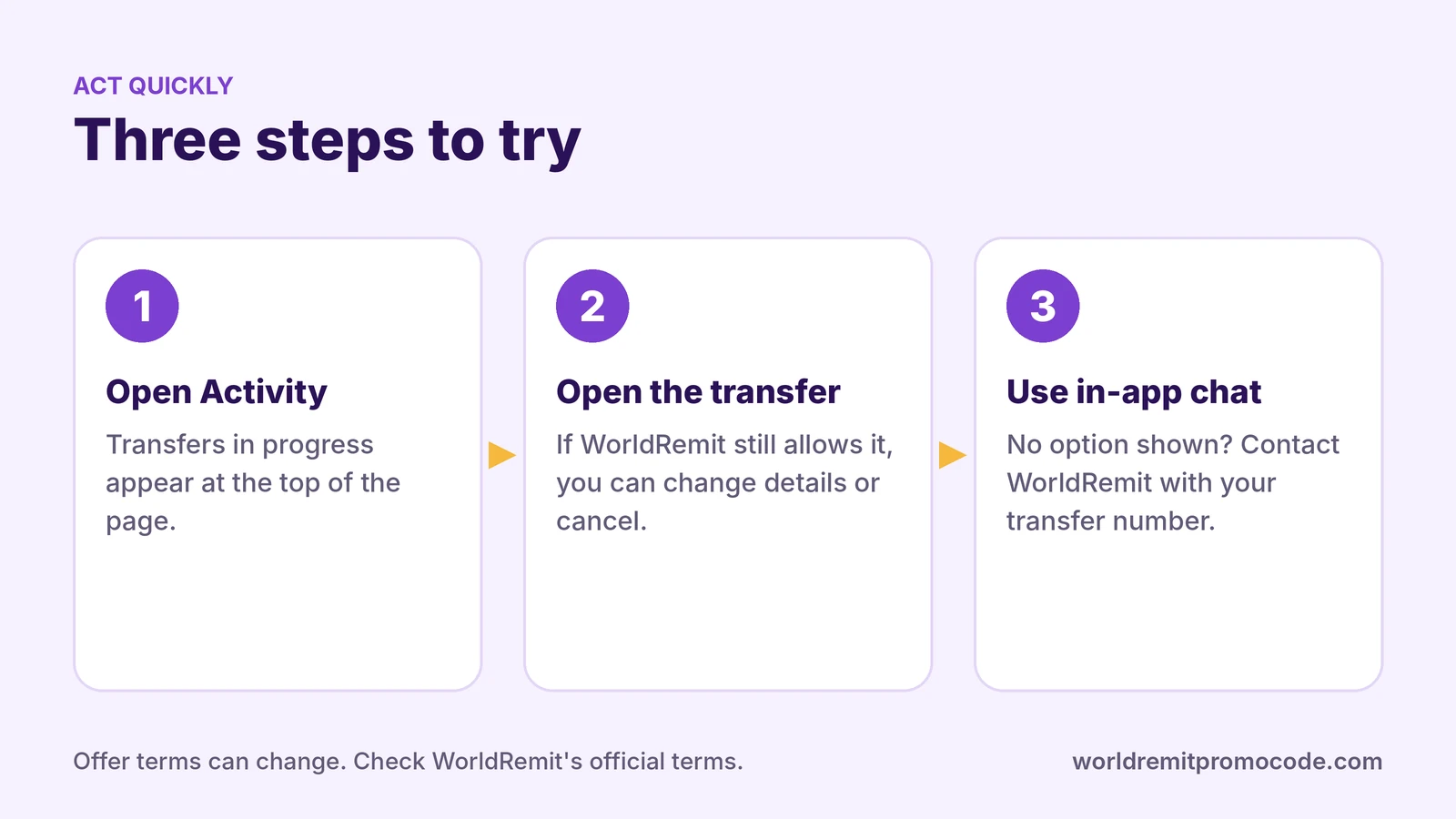
- Open the WorldRemit app or log in on the website.
- Go to Activity. WorldRemit says transfers in progress appear at the top. Open My transfers to see the status of each one.
- Open the transfer. If WorldRemit still allows it, you will see options to change the payout details or cancel.
- If you cannot see an option, contact WorldRemit straight away using the in-app chat. WorldRemit describes this chat as available 24/7. Have your transfer number ready.
Speed matters. A transfer sent through a fast method such as mobile money can be paid out within minutes, and then it is too late. WorldRemit says most transfers arrive within minutes.
When a cancel is less likely
- The recipient has already collected the cash or received the money.
- The money has reached the bank account or mobile wallet.
- The transfer is already complete in your transfer history.
In these cases, cancelling in the app is unlikely to work, and you would need to ask WorldRemit what options exist. Do not pay anyone who offers to "recover" the money for you.
Wrong details are not always fixable
If you typed the wrong recipient details, WorldRemit says those details may not be updatable later, and it contacts you if it finds a problem. The WorldRemit help on slow transfers says to check the recipient details first. The most reliable fix is to avoid the mistake:
- Check the recipient's name, number and bank or wallet details twice.
- For cash pickup, the name must match the recipient's ID exactly.
- Keep your transfer number.
The how to use WorldRemit guide lists the details needed for each payout method.
What about a refund?
Whether you get your money back depends on the stage the transfer reached and on WorldRemit's terms, so check them rather than relying on a general answer. Our fee guide, WorldRemit fees, explains what the price screen shows before you pay, which helps you avoid a transfer you did not want.
Stay safe
Contact WorldRemit only through the official app or website. Scammers pose as support on social media and messaging apps. WorldRemit says it will never ask for your login details or card details by phone. See Is WorldRemit safe?.
New to WorldRemit?
Take the time to check the amount, the fees and the details on the confirmation screen before you pay. If you want to try it, the offer promoted on this site is for a new account that uses the code REFERNNF57P9SAA1L at sign-up and then sends €30 / £30 / $30 or more. Amounts can change, so check the app. Open the sign-up page.
Also read how to track a WorldRemit transfer.
FAQ
Can I cancel a WorldRemit transfer after I pay?
Possibly, if the transfer is still in progress. WorldRemit says you can change payout details or cancel while it is possible. Once the money is paid out, it generally cannot be recalled.
Where do I cancel a transfer?
Open the app, go to Activity, and open the transfer in progress. If no option appears, contact WorldRemit through the in-app chat.
Can I change the recipient details?
WorldRemit says you can change payout details while it is still possible, but details may not be updatable later.
How fast should I act?
As fast as you can. Many transfers arrive within minutes.
Is this website official?
No. This is an independent site that shares a referral code and may earn a reward if you sign up through its link. See the affiliate disclosure.